 By Lauren Holland
Updated November 2026
The right cool gadgets for iPad turn a tablet into something closer to a laptop, a sketchpad or a media center, depending on how you use it. This guide walks through the categories worth considering, what to look for in each, and a few mistakes to avoid. By the end, you should have a short list matched to your actual habits.
Start With How You Actually Use Your iPad
Most iPad accessories fall into a few groups: support, input, power and protection. Before buying anything, decide which job the tablet does most. Reading and streaming call for a stand. Note-taking and drawing call for a stylus. Long writing sessions call for a keyboard. Skipping this step is the fastest way to end up with a drawer full of unused gear.
Shopping for one? See our guide: Cool Gadgets for Camping: 8 Best Picks for Every Campsite (2026).
Choose the Right Input Accessories
Input is where iPads gain the most ground. Consider these options:
- Apple Pencil-compatible styluses for handwriting and sketching, checking that your model supports pressure or hover features.
- A detachable keyboard case if you write more than a few emails a day.
- A trackpad-capable keyboard if you switch between iPadOS apps and external windows often.
- A compact Bluetooth keyboard for travel, which is lighter and easier to pack.
Check the keyboard’s layout and key travel in person if you can. A keyboard that feels fine for ten minutes may feel cramped after an hour.
Add Stands, Mounts and Desk Setups
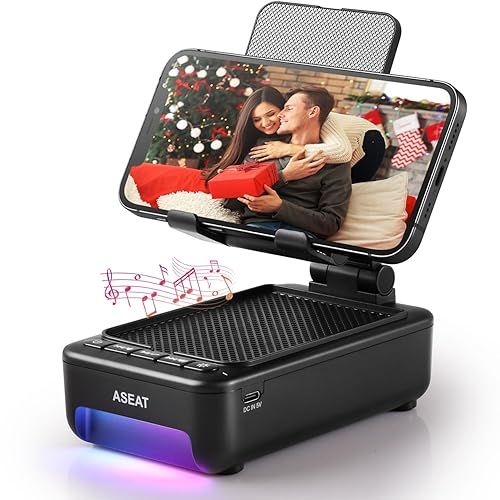
A stand changes how you sit, which matters more than most people expect. An adjustable aluminum stand can lift the screen to eye level, reducing neck strain during long video calls or recipe reading. For desk work, a stand that holds the tablet at a steep angle works well with a keyboard. For bed or couch use, a flexible arm mount clamps to a headboard or sofa frame and keeps the screen steady.
Look for a stand that fits your exact model, since iPad sizes differ enough that a generic fit often wobbles.
Power and Storage Upgrades That Matter
Storage and charging are often overlooked. A USB-C hub with an SD card slot lets you import photos straight from a camera. A small power bank with USB-C output keeps the tablet running during a long flight. Make sure the hub lists power pass-through, so the iPad keeps charging while you use the ports.
Quick checklist before you buy
- Confirm your iPad model and generation.
- Check whether the accessory uses USB-C, Lightning or Bluetooth.
- Match the stand size to your tablet’s screen size.
- Look for power pass-through on any hub.
Common Mistakes to Avoid
- Buying a case or stand for the wrong size, which causes poor fit and wobble.
- Assuming every stylus works with every model. Pressure sensitivity and pairing vary.
- Overlooking weight. A heavy keyboard case can make the setup less portable than you’d like.
- Forgetting that some accessories need their own charging.
Recommended gear
An adjustable aluminum stand is a solid starting point because it improves screen height and viewing angle for most tasks. View on Amazon
A detachable Bluetooth keyboard case suits anyone who writes regularly on the tablet. View on Amazon
A USB-C hub with an SD card slot covers photo imports and extra ports in one small device. View on Amazon
FAQ
Do I need a special stylus for my iPad?
Not always, but it depends on your model. Pressure-sensitive and hover features require a stylus designed for that iPad generation, so check compatibility before buying.
Will a USB-C hub charge my iPad while I use it?
Many hubs offer power pass-through, which keeps the tablet charging while connected. Confirm this in the product specs before purchase.
Are keyboard cases better than standalone keyboards?
Keyboard cases are more convenient for daily carry, while standalone keyboards often offer better typing comfort and easier stand angles.
Conclusion
The best cool gadgets for iPad are the ones that solve a real problem in your routine. Start with how you use the tablet, then choose accessories in the categories that match. A stand, a keyboard or a hub will do more for you than a long list of novelties.
For more ideas across categories, see What Are Some Cool Gadgets Worth Owning? 12 Clever Picks and Cool USB C Gadgets: 3 Clever Picks Worth Owning (2026).
Related reading
- Top 8 Cool 3D Printed Gadgets Worth Considering in 2026
- Top 6 Cool Outdoor Gadgets for Men Worth Considering in 2026
- Top 6 Cool Golf Gadgets for Men: Expert Picks for Every Round
- How to Make Cool Homemade Gadgets: 6 Steps for Beginners
Ready to choose one?
About Lauren Holland
Lauren Holland is part of our editorial team and reviews and edits our cool gadgets & EDC tech guides, checking product details against manufacturer specifications and owner feedback.