 By Audrey Hayes
Updated November 2026
Smart tech gadgets for home can handle small, repetitive jobs like dimming lights at night, watering plants or reminding you the filter needs changing. This guide shows you how to choose the right ones for your space, set them up without frustration, and avoid the mistakes that leave most gadgets sitting unused in a drawer.
Step 1: Decide Which Tasks Are Worth Automating
Start with the chores you repeat every day or week. Good candidates include turning lights on and off on a schedule, controlling the thermostat when you leave the house, or checking whether a door was left unlocked. Skip anything you already do in five seconds. Automation pays off on tasks that are frequent, easy to forget, or annoying to do by hand.
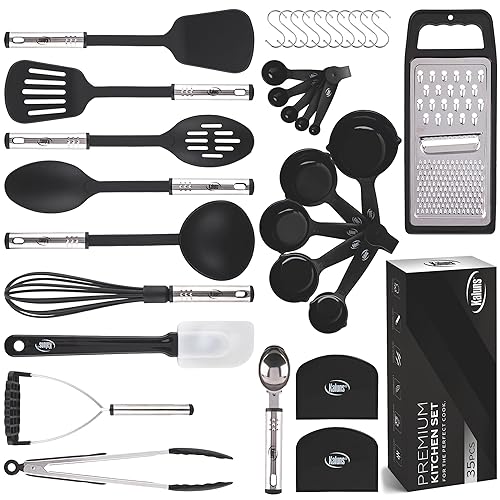
Shopping for one? See our guide: New Gadgets Smart Appliances Kitchen Utensils for Every Home: 3 Best Picks.
Step 2: Check Compatibility Before You Buy
Most smart devices speak one of a few wireless protocols, and a mismatch means a gadget that never connects. Before buying, confirm that the device works with the hub or voice assistant you already use. Many manufacturers list supported platforms on the product page, so look for those details first. Also check whether the device needs its own hub, since that adds another box and another setup step.
Step 3: Plan Your Network and Power
Smart gadgets rely on your Wi-Fi, so weak coverage causes lag and dropped connections. Walk through the rooms where you plan to place devices with your phone and run a speed test in each spot. If a room has poor signal, a mesh router or extender can fix it. Battery-powered sensors need fresh batteries, so note their replacement interval on your calendar. Plugs and switches should be placed where they will not block airflow or sit near heat sources.
Step 4: Set Up Routines Instead of Single Devices
The real value comes from routines that link several gadgets together. For example, a bedtime routine might dim the lights, lower the thermostat and lock the front door at the same time. Build two or three routines that match your actual habits, then adjust after a week of use. Overly complex routines tend to break, so keep the logic simple.
Smart Gadget Setup Checklist
- List the three daily or weekly tasks you want to automate.
- Confirm each device works with your existing hub or assistant.
- Test Wi-Fi signal in every room where a device will go.
- Note battery replacement dates for any sensors.
- Create one routine, use it for a week, then refine it.
Common Mistakes to Avoid
- Buying a full set of devices before testing one.
- Ignoring privacy settings on cameras and voice assistants.
- Skipping firmware updates, which often fix security and connectivity problems.
- Building routines so complex that you forget how they work.
- Mixing brands that do not share a common platform, leading to separate apps for everything.
Recommended Gear
A basic mesh Wi-Fi system is often the most useful upgrade, since reliable coverage keeps every other gadget working. Owners often report that a single well-placed mesh node solves dead spots without rewiring anything. View on Amazon
Smart plugs let you control lamps, fans and small appliances that are not smart on their own. They are an easy first step for anyone who wants automation without replacing fixtures. View on Amazon
Motion sensors are useful for hallway lights or security alerts, and they work well inside routines. Place them where they cover the path you actually walk, not where they look neat. View on Amazon
If you are comparing broader options, our guide to Smart Gadgets for Home and Kitchen: 6 Clever Picks That Save Real Time covers kitchen-focused devices, and Smart Gadgets for Home Cleaning: 7 Clever Picks That Actually Save Time looks at cleaning helpers. For a comparison of several categories, see Latest Tech Gadgets for Home: 3 Best Picks Compared (2026).
FAQ
Do I need a hub for smart tech gadgets for home?
Not always. Many Wi-Fi devices connect directly to your router and a phone app. Devices using protocols like Zigbee or Thread usually need a compatible hub to communicate.
How do I keep smart home devices secure?
Change default passwords, turn on two-factor authentication where offered, and install firmware updates when they are released. Consider putting smart devices on a separate guest network.
Are smart gadgets worth it for renters?
Often yes. Plug-in devices, battery sensors and removable mounting options let you automate without permanent changes. Check your lease before installing anything hardwired.
Conclusion
Smart tech gadgets for home work best when you automate a few real tasks rather than buying everything at once. Check compatibility, fix your Wi-Fi coverage and build simple routines you will actually use. Start small, learn what helps, and expand from there.
Related reading
- Tech Gadgets Black Friday: 7 Smart Picks and How to Shop Them (2026)
- Smart Appliances and Gadgets for Home: 4 Best Picks (2026)
- Hi Tech Gadgets Austin: A Guide to Finding Smart Tech in Texas's Capital
- Home Office Tech Gadgets: 7 Clever Picks That Improve Your Workday
Ready to choose one?
About Audrey Hayes
Audrey Hayes is part of our editorial team and reviews and edits our cool gadgets & EDC tech guides, checking product details against manufacturer specifications and owner feedback.